2. Quick Setup
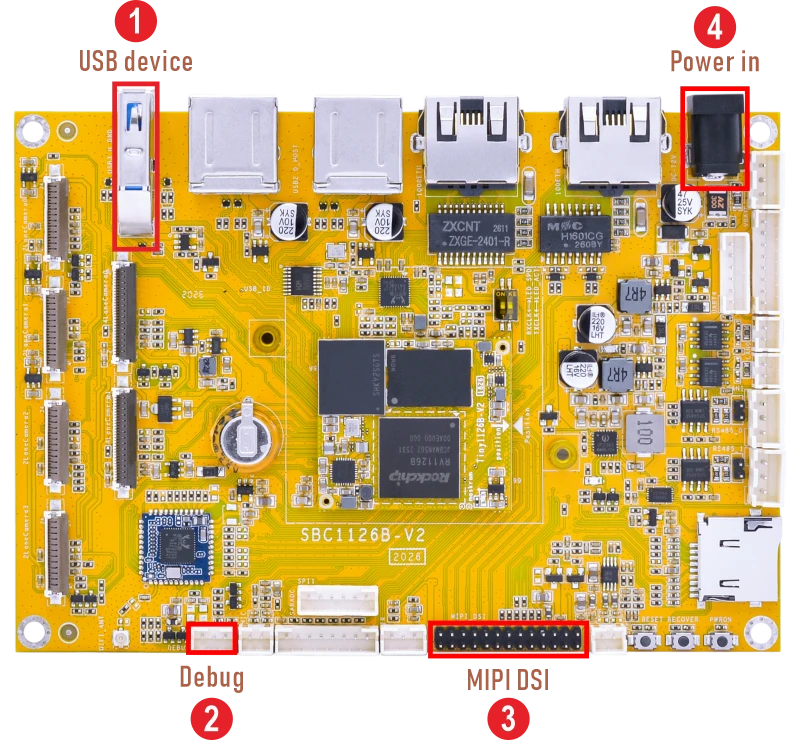
❶ Connect the board and 10.1-inch MIPI LCD.
❷ Plug the USB-to-UART cable between PC and SBC1126B console connector.
On the host PC, start a terminal emulation program (such as SecureCRT) with the following serial port settings:
BaudRate |
Data Bits |
Stop Bits |
Parity |
Flow Control |
1500000 |
8 |
1 |
None |
None |
❹ Plug the 12V/3A power supply into the DC jack. The board powers on and boots into the system.